
CSS Script v2.53 Updates
In the latest software version 4.6.5.63 Beta the algorithm of the CSS v2.53 script has been updated to double-check the correctness of the parameters that the user entered in the script configuration window.
For example, sometimes it happens that the user records signals, for example, on a 6-cylinder engine, but forgets to correctly specify the order of the cylinders (leaves the standard value "1342").
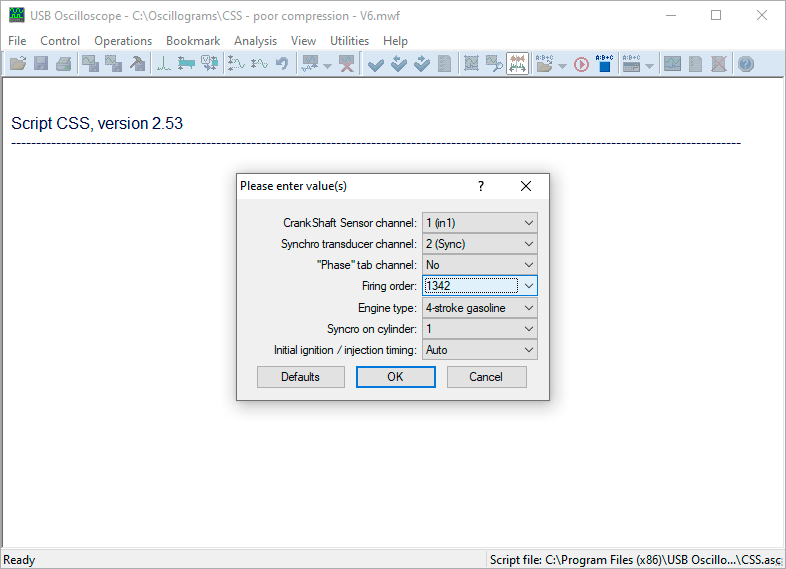
The user forgot to correctly specify the firing order of the cylinders
It turns out that the user specified the number of engine cylinders as "4", and the CSS script algorithm sees that the engine has "6" cylinders. Therefore, the script asks the user an additional question "Firing order of cylinders - specify: ABCDEF", immediately offering a universal answer for a 6-cylinder engine - "ABCDEF".
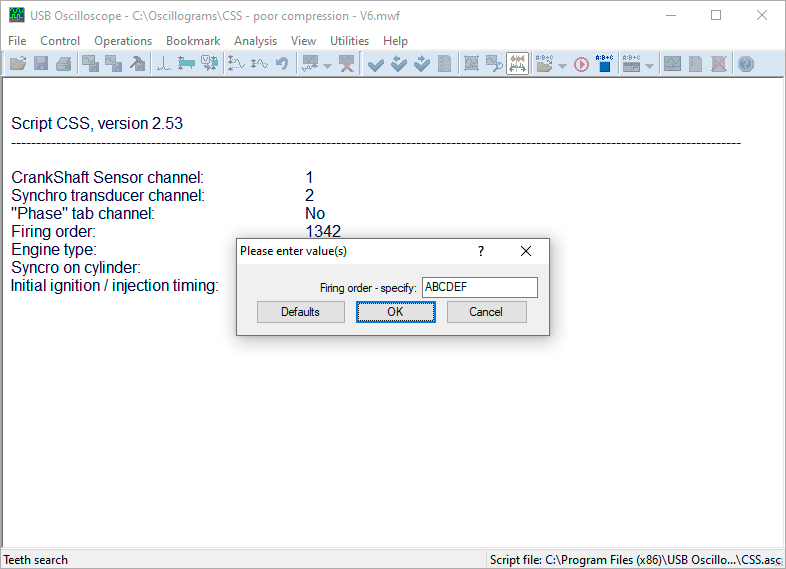
The script asks the user to specify the order of the cylinders
How should the user act in such a situation?
It is advisable to specify the cylinder operation order in numbers instead of "ABCDEF". If you leave it as is and just click "OK", the script will sign the cylinder efficiency graphs not with numbers, but with letters.
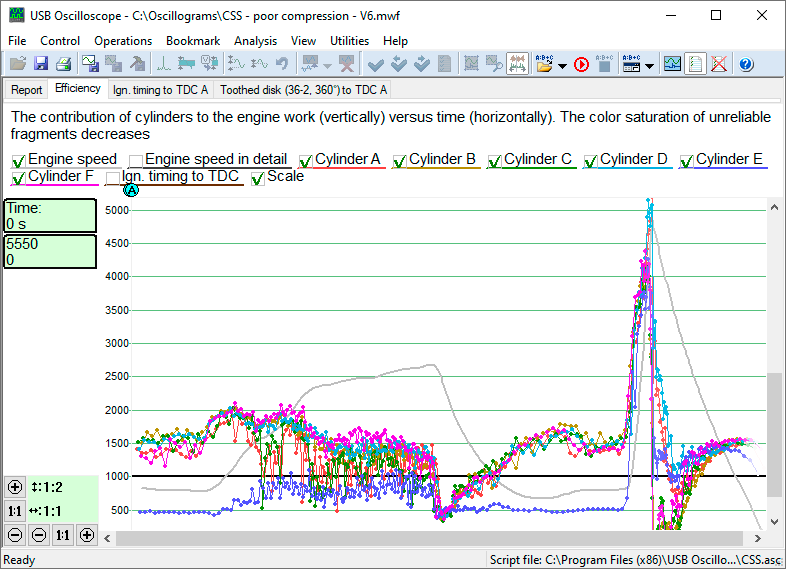
The cylinder efficiency graphs are labeled with letters instead of the usual numbers
In this case, the blue efficiency graph shows that the cylinder marked with the letter "E" does not work at idle at all and works poorly in other modes. Also, the shape of the color graphs at the last stage of measurements shows that the cause of this is a violation of the tightness of this cylinder.
Let me remind you that the efficiency graphs are signed not with numbers but with letters because the user did not specify the correct order of cylinder operation to the script, and therefore the script does not know in what order the cylinders operate on this particular engine. If, for example, in this situation the user wanted to know the exact number of the faulty cylinder, it would be enough to simply correctly specify the order of cylinder operation in the script configuration window.
The script also double-checks whether the user has specified the fuel type correctly (petrol or diesel engine). If the user has made a mistake, the script asks the user again "Engine type - please specify" and automatically makes the correct choice for the user. The user only has to confirm this choice by clicking the "OK" button.
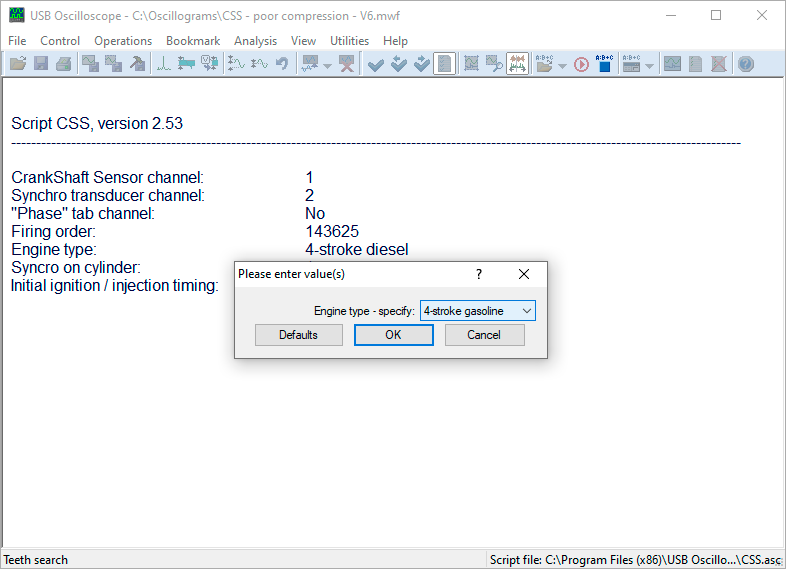
The script asks the user to specify the engine type
The CSS v2.53 script also controls whether the engine decelerations after throttling were performed correctly. If not, the script notifies the user and recommends repeating the measurements, adhering to the requirements of the standard methodology for performing this test.

The script asks the user to repeat the measurements following the recommendations of the methodology
In this case, half of the V6 engine cylinders are not working well because the valve timing is incorrectly set in one of the cylinder heads. However, this malfunction is barely noticeable in the last fragment of the efficiency graphs because the throttle valve was closed at the last stage of measurements.
Previous versions of the CSS script required the exact value of the initial ignition advance angle (or the initial diesel injection advance angle). Based on this value, the script determined the positions of the top dead centers in the engine cylinders and made its calculations. The latest version of the CSS script is equipped with an algorithm for automatically determining the ignition advance angle/injection advance angle value. Thanks to this, the user no longer needs to specify the initial ignition advance angle/injection advance angle, since by default he is offered to select the "Automatic" option.
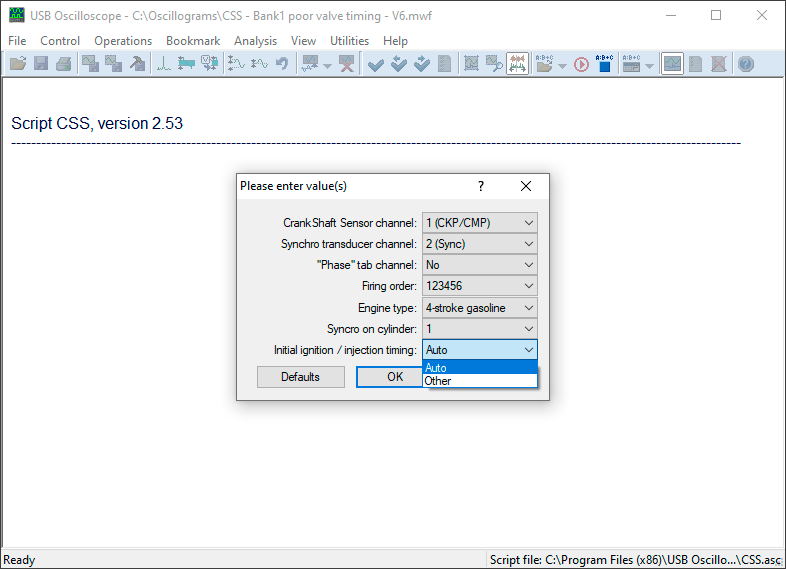
The initial ignition timing angle is now determined automatically by the CSS script
Other changes were also made to the script, for example, the accuracy of the data displayed in the "Compression" tab was increased (this tab is displayed only when working with a diesel engine and allows you to compare the geometric compression ratio of the cylinders), etc.